
 Checkout our Youtube
 Join our Discord
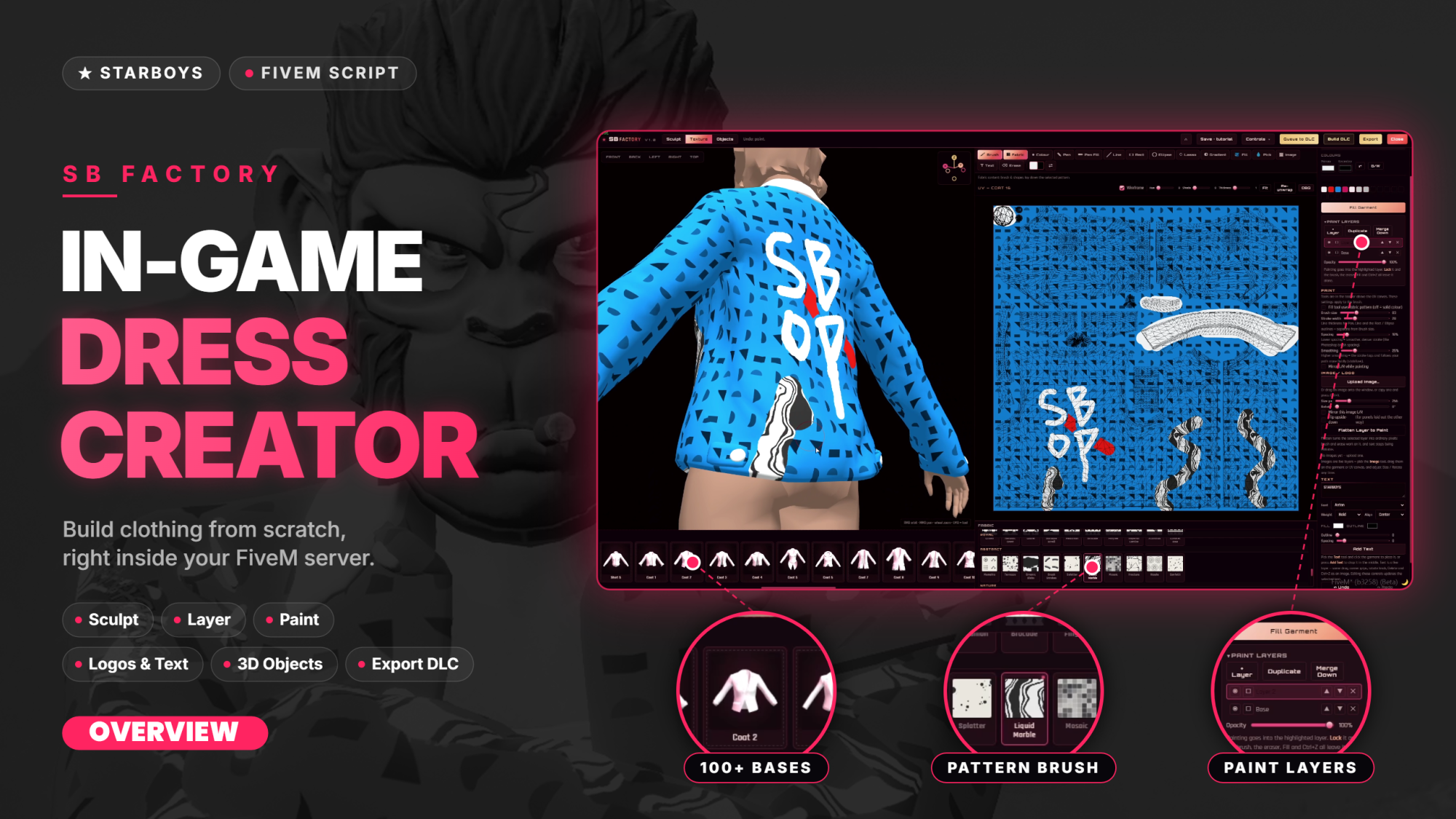
SB Factory | In Game Dress Creator | Standalone
Youtube Preview Overview: https://youtu.be/N5NwAJkVF6Q
Youtube Preview Guide: https://youtu.be/gq0KvSjunlI
Documentation : https://starboys.gitbook.io/starboys-docs
Note : This uses FiveM Asset Escrow System
Description:
SB Factory is an in-game clothing creator and live-deploy system. Players can design male or female tops and pants inside the game. They pick a base garment, sculpt its shape in 3D, paint the texture, and add logos, text and 3D objects. The finished design is exported as game-ready clothing files and packed into a clothing pack.
🚀 Features
- 🚻 Male and female bodies
- 👕 Tops (jbib) and 👖 pants (lowr)
- 🧥 About 100 base garments: t-shirts, shirts, hoodies, coats, frocks, inner layers, jeans, formals and tracks
- 📚 Stack multiple garments as layers
- 💾 Save and load projects
- 🗿 3D sculpt brushes: Grab, Inflate, Pinch and Smooth
- 🪞 Symmetry, radius, strength and vertex mode
- 📏 Fit slider from tight to oversized
- ➕ Add detail and 🔄 reset shape
- ↩️ Undo and redo ↪️
- 👻 Ghost mannequin view
- 🎨 2048×2048 texture painting
- 🖌️ Brush, pen, line, rectangle, ellipse, lasso, gradient, fill, eyedropper and eraser
- 🧵 Fabric patterns and solid colours
- 🌈 Primary and secondary colours, plus recent colours
- 🗂️ Paint layers: add, duplicate, merge, lock and opacity
- 🪞 Mirror painting
- ✨ Shine slider for silk, leather and latex looks
- 🖼️ Paint on the 3D model or on the flat texture canvas
- 📤 Upload images and logos (drag and drop, or Ctrl+V)
- 🔀 Move, resize, rotate, mirror and flip images and text
- 🔤 Text layers with about 50 fonts
- 🔷 3D objects with size, rotation, thickness, material and colour
- ⌨️ Keyboard shortcuts for every tool
- 🎥 Camera view buttons and axis gizmo
- 📦 Export to .ydd, .ytd, .ymt and .meta
- 📋 DLC queue of up to 10 dresses
- ⚡ One-click DLC pack build
- 🗃️ Save and load queue groups
- 📁 Export straight to a dress hub folder
- 🔔 Configurable notifications
- 🌐 All on-screen text editable in the language file
- 🔒 Optional permission lock
Important Notes
1. Configure your appearance system (required)
Set your appearance system in sb_factorycore > config.lua so the dress loads onto the player after a build. This step is required. SB Factory works with esx_skin, qb_clothing and illenium-appearance out of the box. For any other appearance system, add your own event in the editable file.
2. Cfx.re Element Club subscription is required
SB Factory creates add-on clothing. Every dress you build is a new item added to the game, not a replacement for an existing one. This means streaming it requires an active Cfx.re Element Club subscription. Any of the three tiers includes it: Argentum, Aurum or Platinum. The subscription applies to your server's license key, so the key in your server.cfg must belong to the subscribed Cfx account.
3. Testing the dress after a build
After you press the Build button, the dress will appear in your clothing menu, where you can check it. To make it visible to other players, follow the next step.
4. Moving the dress into its own resource
A dress hub is for building and testing. It is not where the dress should stay. For every player to see and wear the dress properly, the finished dress has to stream as its own resource.
Take the files out of the dress hub and put them into sb_dresspacks, the separate stream resource that comes with SB Factory. You will receive it in the Cfx.re Portal. It already has the stream folder and the fxmanifest set up, so you only need to add the files. You can create as many of these resources as you like in the same way.
5. Starting the resource with the server
Add the resource to your server.cfg so it starts with the server. A dress only streams and syncs correctly for everyone when its resource is started at server start, not partway through.
For more details, please read the documentation.
Disclaimer:
Please note that this script is intended for development purposes only. We have optimized the script as much as possible. If you encounter any issues, please report them by raising a ticket in discord, and we will fix them as soon as possible.
Permissions:
SB Factory uses ACE-based permissions, so you'll need to configure access directly through your server's CFG settings before use.
Performance:
SB Factory is built with performance in mind — keeping your server’s performance clean and unaffected during normal gameplay.
No refunds - We are currently on no refund policy